
Characters that talk back
A journalist who keeps asking, a caller on the line, a team member with bad news. Every character has its own voice and its own role.
In the AI Simulator, crisis teams, spokespeople and dispatchers practise with AI characters. They speak with their own voice, ask follow-up questions and respond to what you say. Afterwards you see how you did, per competency.
Runs in the browser. Nothing to install.
A press interview, a crisis meeting or an emergency call: you only really learn it by doing it. Practising with role players takes a lot of time and planning. With the AI Simulator you practise whenever it suits you, on your own or with your team.
A journalist who keeps asking, a caller on the line, a team member with bad news. Every character has its own voice and its own role.
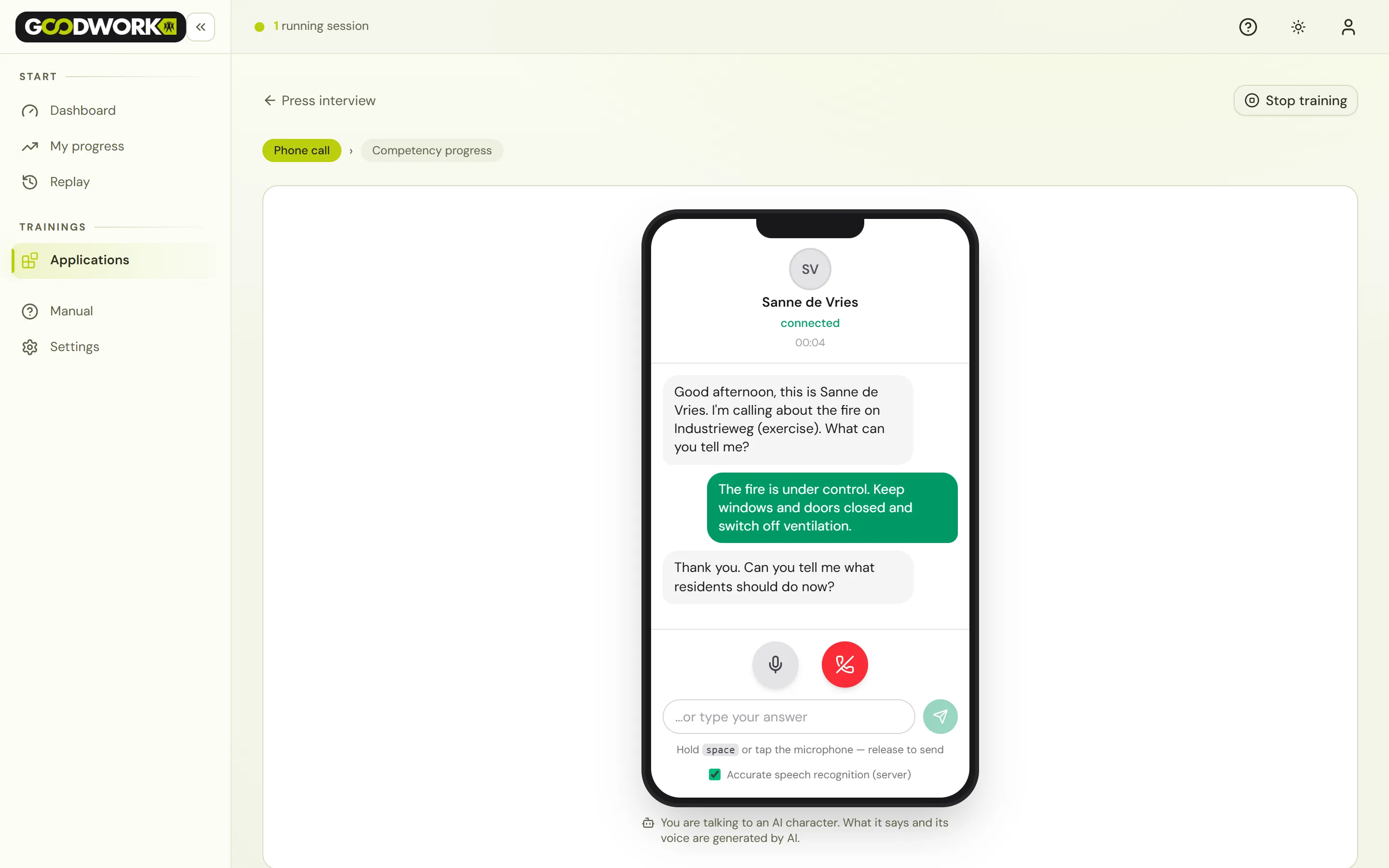
You talk through your microphone and the character answers out loud. Prefer typing? That works too.
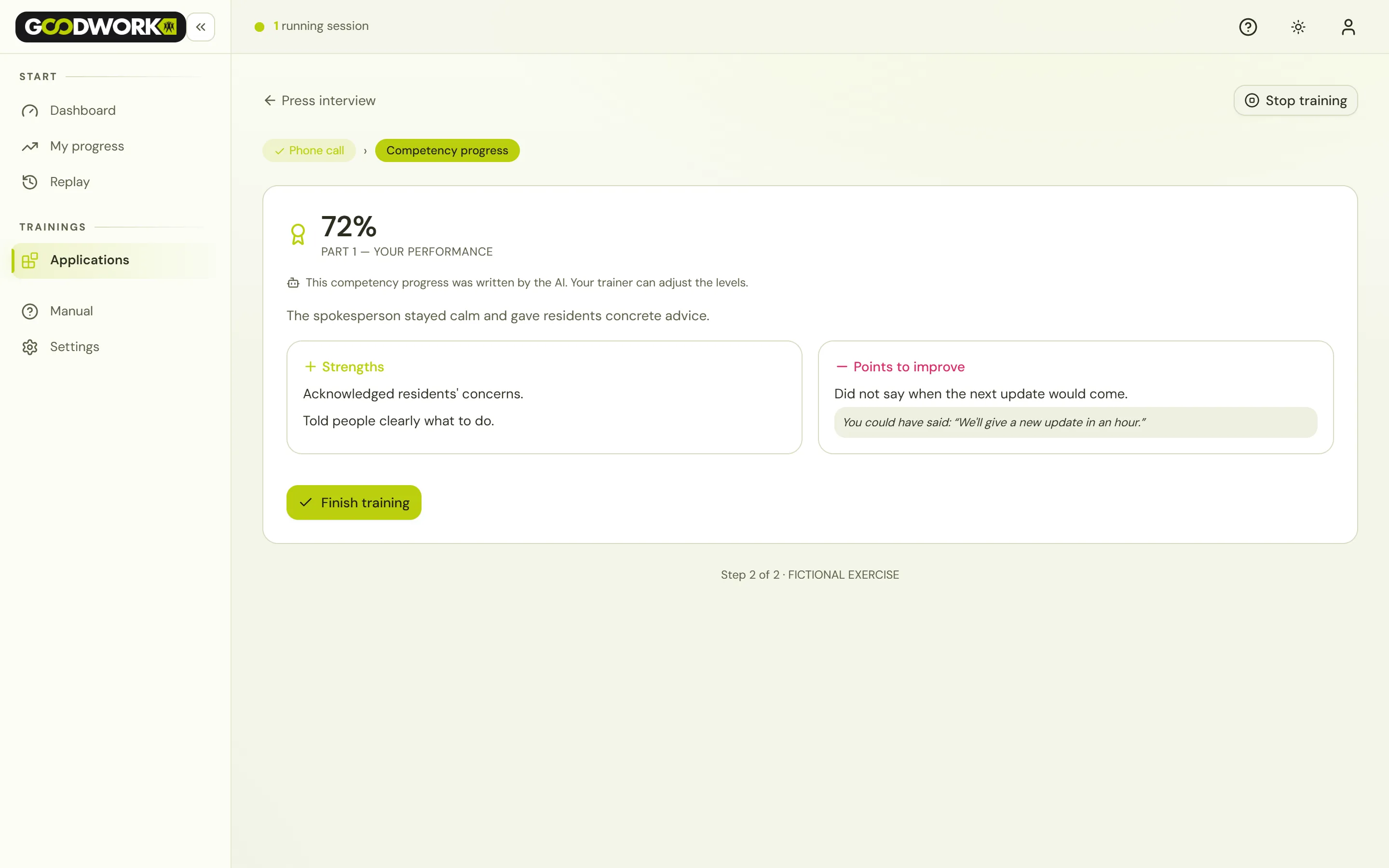
Afterwards you see how you did per competency, with examples from your own conversation.
An exercise consists of steps that follow on from each other, just like in real life.
You read the scenario: what happened, what is certain and what is still unknown. With a situation report and a map of the area.
You hold the conversations: with the head of the crisis team, with the press or with a caller. The character responds to what you say and keeps you on your toes.
What you say has consequences. After a press interview, for example, you read the article the journalist writes about it.
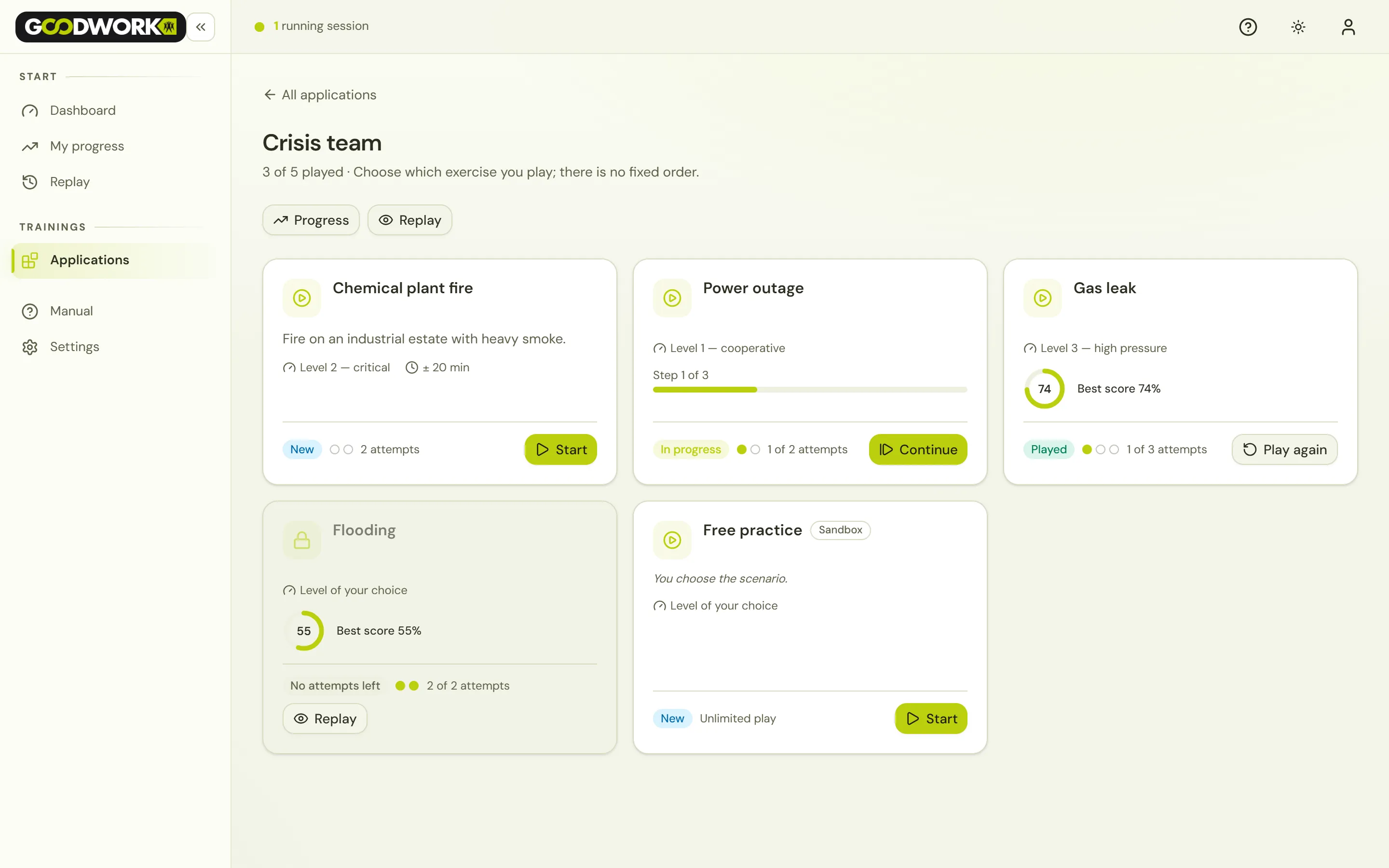
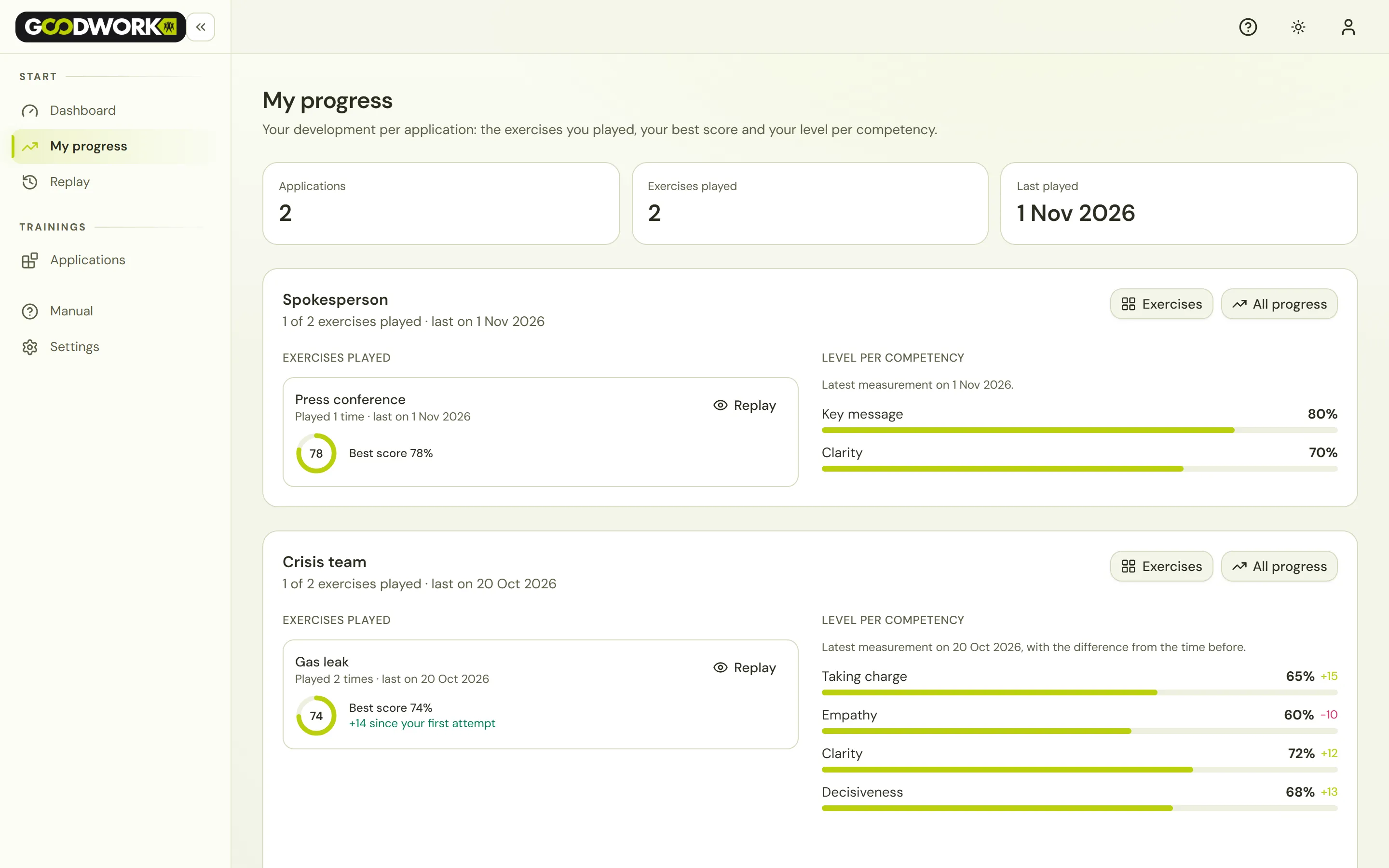
You get feedback per competency on how you did. My progress shows how you grow over several exercises.
Each application is made for a role in a crisis or communications team.
Get the picture, agree your mandate with the head of the crisis team and talk to the press: local, regional or national. Then read what ends up in the paper.
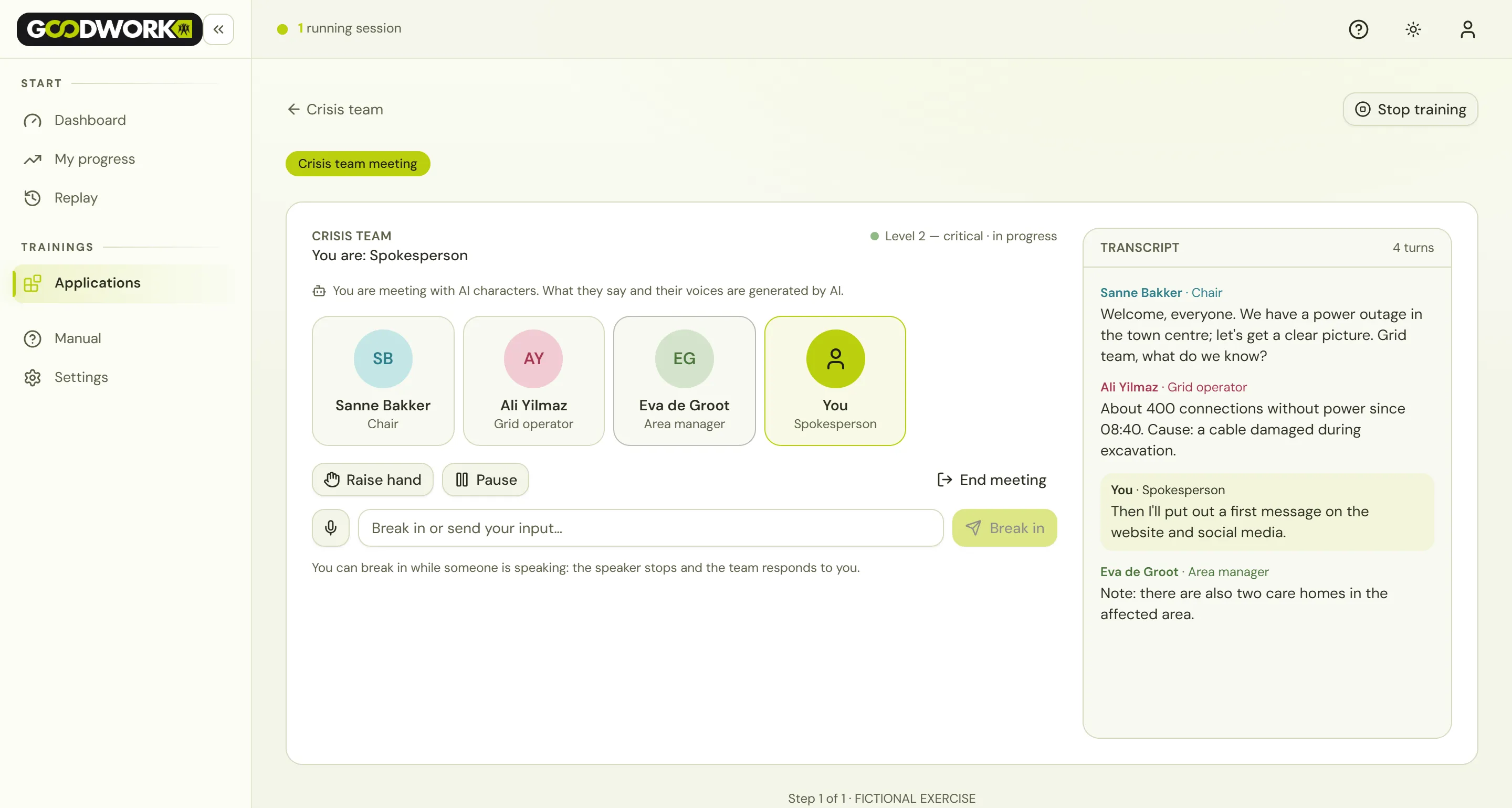
Chair a crisis meeting or take a role in one. Team members speak with their own voice and new reports come in during the meeting. Afterwards you get a summary of how the team built its picture, judged and decided.
You are the dispatcher, the AI plays the caller. Practise taking an emergency call while the clock is ticking.
Practise a difficult conversation with an AI counterpart who doesn't simply go along.
For guided training sessions there are three training tools. A Good Work trainer steers the AI characters live.
A simulated meeting full of AI characters. Loggers and plotters practise taking minutes.
The AI plays the outside parties on the phone, such as the fire service, the municipality and the press. The team calls and gets called.
One participant at a time talks to an AI caller. The trainer steers live.
An administrator builds applications from building blocks: situation briefing, phone call, journalist, meeting, newspaper article and more. With your own scenarios, characters, voices and competencies you create exercises that fit your organisation.
Use the simulator in your own training courses. Build exercises with your own scenarios and competencies. Participants keep practising between training days.
For grid operators, governments and other organisations with a crisis organisation. Practise the crisis meeting, the press work and dispatch with scenarios from your own practice.
Spokespeople practise press interviews at three levels, from the local paper to a national outlet on deadline. Then they see what ends up in the paper.
Already working with the AI Simulator? Log in to keep practising. Questions? Get in touch.
Log inScreenshots from the app, with a fictional exercise.
Exercises sometimes deal with sensitive situations. That is why this is in place.
Each organisation sees only its own data. The database itself enforces this.
With a password followed by a code sent by email.
Everyone sees only what belongs to their own role.
An administrator can switch off the AI for the whole organisation, for example for sensitive exercises.
How long data is kept can be set per organisation. Data can also be exported and erased.
The app works in Dutch and English.
Good Work develops the AI Simulator and trains crisis and communications teams.
Good Work trainers run live training sessions with the training tools. Organisations can also use the simulator themselves, with their own exercises.
Questions, or rather talk first? Send us an email and we'll get back to you.
Curious how it works for your organisation? Request a demo. We'll get in touch to schedule a time.